

01
Your storefront

Ready in minutes: pick your store type, pay securely, and we set up a complete store with its template and demo products — managed from your Sitekoom account, no second password.
Renewals from JOD 79



Drag & drop, filters, instant search, cart and checkout, stories and offers, WhatsApp and reviews — pick one or let them play.
Reorder your home page — slider, categories, featured products, stories — just by dragging, and see it live before publishing.
Live preview
Each type comes with its categories, product attributes, demo products and a matching homepage.
Each one is a setting of your own store; those marked «optional» are yours to switch on.
By name, specs, product code and barcode, in Arabic and English, with typo correction and instant suggestions.
A size for desktop, tablet and phone with a preview before saving, and brand and category image sizes per screen.
Best sellers, newest, price, rating, stock, profit or by hand — each category and brand with its own order.
Each with its background, colours and schedule — shown to everyone, to visitors or to signed-in customers only.
Tracked stock or a manual status (in stock, out of stock, on order) — and you decide whether sold-out items show.
Store-wide and per product, with bulk actions.
Create the order from your dashboard and send the customer a payment link. Optional.
Stock follows and every change is logged; the delivery address and phone can change after ordering too. Optional.
The customer asks, the shop approves — for stores linked to the POS, with a return window of 0 to 60 days.
An email reminder with optional double opt-in, and WhatsApp with the customer's consent. Optional.
Import products straight from the export file, with 301 redirects from old Shopify links to keep your search ranking.
A ready report with a file for your accountant.
Your store's forms are protected from bots.
Products, prices, stock and orders, both ways.
Each order goes to the customer's area branch or the pickup branch they choose, each branch with its own stock and «available at …». Optional.
It reaches your store's app, with required or suggested updates run by Sitekoom.
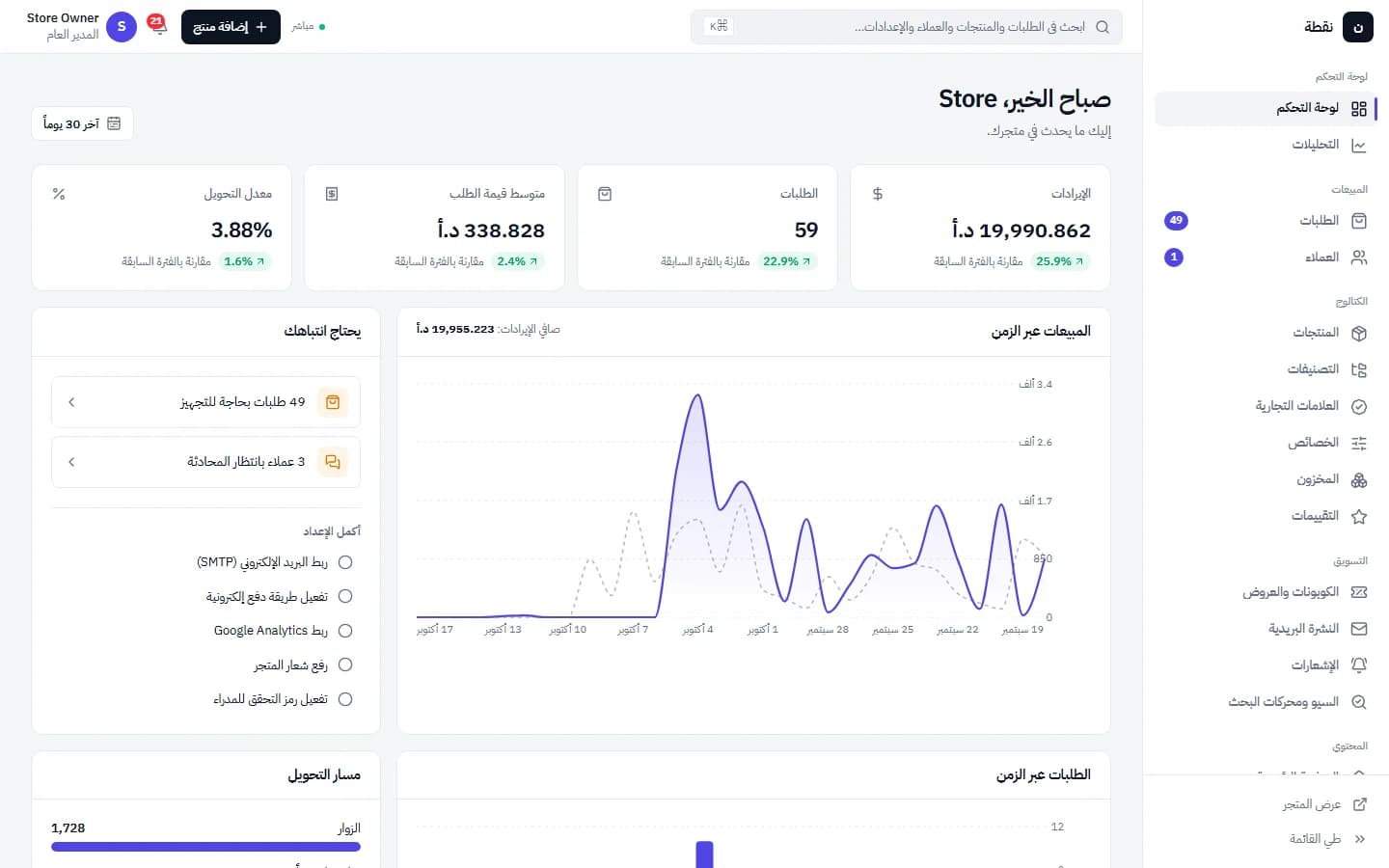
A live dashboard that explains itself: each step works in front of you as it will in your store.
Revenue, new orders and best sellers the moment you sign in.
The order reaches you ready on WhatsApp: product, size, colour, quantity, price and link — in your visitor's language.
A notification for every new order; change its status in one tap and your shopper gets notified with tracking — today's sales in front of you.
A mobile app with your store's name
For your shoppers on Android and iPhone: browse, order and track. Add it with your store or later.
Your store's appYour orders arrive in the Sitekoom app
Every new order instantly with a notification; manage products, stock and orders from your phone.
The Sitekoom appSetting up your store is included; the renewal price stays as agreed at purchase.
Better value for a full year
Optional add-ons
Your store's mobile app
An app with your store's name and logo for your shoppers on Android and iPhone: they browse, order and track their orders. Try it right away; published to the stores within 20 days.
POS ↔ store link
Your cashier, online store and its app work as one: products, prices and stock sync by themselves, and store orders reach the cashier screen.
Renewal is manual from your portal — no automatic card charges. Your renewal price stays as agreed at purchase.
Real screens from the storefront and admin with demo data.
Your storefront
Swipe the card or use the arrows

Products with variants (color, size, storage), stock and movements, multiple images.
Multi-level categories, brands and filterable attributes.
Customisable order statuses, notes, refunds and customer accounts.
A fast storefront on phones and desktops, in Arabic and English.
Shipping zones, methods and city rates, plus discount coupons.
Clean URLs, titles and descriptions for every page and product, plus a sitemap.
Stripe, PayPal, cash on delivery or bank transfer; gateways need your own merchant account.
Open your store admin from your Sitekoom account in one click — no second password.
Message us on WhatsApp and we'll send you the subscription details.
Yes — the store has an «Order on WhatsApp» button, alongside online payment.
Yes, the store links with Sitekoom's point of sale so products and stock are one.
Yes — connect your store to your own domain, or book a new one in your name with the store when you subscribe or from the Domains page.
Yes — we serve stores in Saudi Arabia, the Gulf, the wider Middle East and worldwide. Message us on WhatsApp and we'll arrange the payment and delivery that suit your country.
Setting up your store is included in the plan's price: your own database, your business-type template with its categories, attributes and demo products, and your store address. What you pay now and at renewal is shown clearly before you pay.
In “My stores” in your portal, click “Manage store”. You go straight into your store admin with your Sitekoom account — no second password — through a one-time sign-in code valid for one minute.
Yes. Each store has its own database, encryption keys and file storage, and shares no data with any other store.
All plans include support by ticket from your portal. Professional adds a setup session, help importing products and priority phone/WhatsApp support.
Choose your plan and store type and start today.
